This page is a part of a series on Everything You Need to Know to Become a Top Contractor on BuildZoom.
While getting hired and reporting your win is the most important factor in increasing your access to new leads, reviews from previous projects will also boost your BuildZoom score. (We do take reviews from Yelp and the BBB into account, but positive reviews that are left on BuildZoom will go further in boosting your score.) Luckily, you don’t have to craft dozens of emails to past clients to ask them to write a review — you can send a single email out to all of your past clients at once!
Ask multiple clients for reviews from your BuildZoom dashboard
Click the tab that says “Get Reviews” from the left-hand menu in your dashboard.
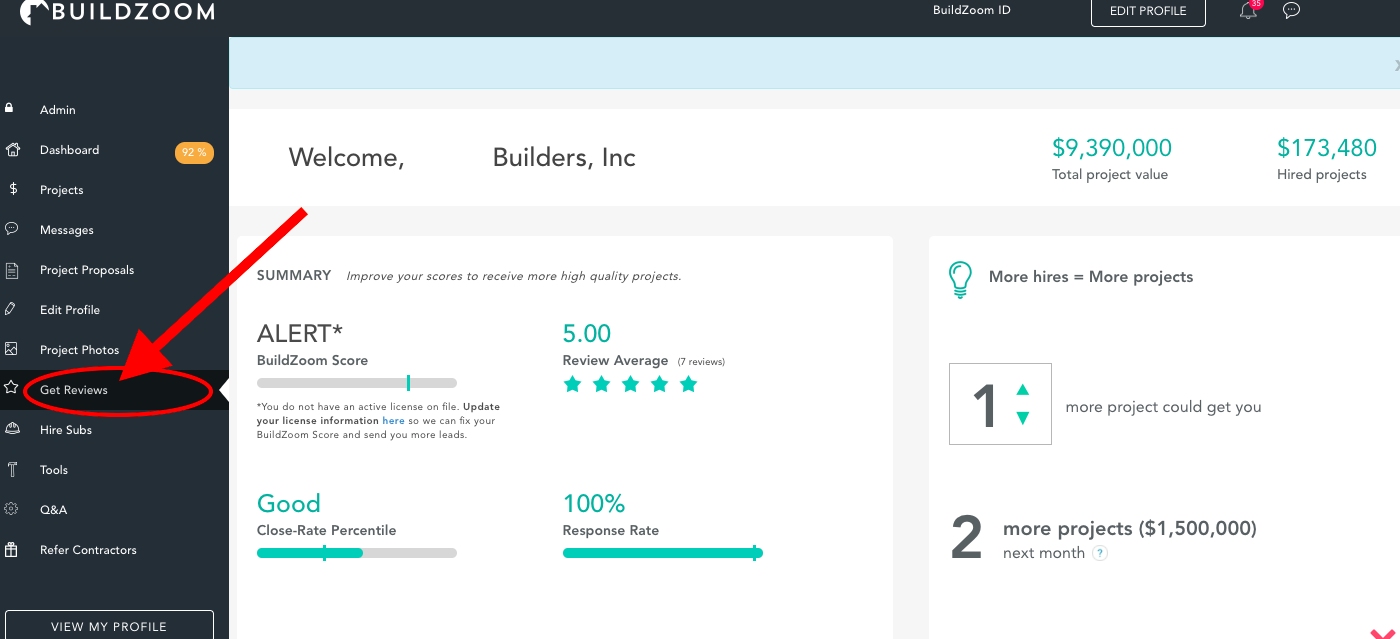
The tab will open and you will have multiple choices for managing your client reviews. Click on the tab that says Get Reviews
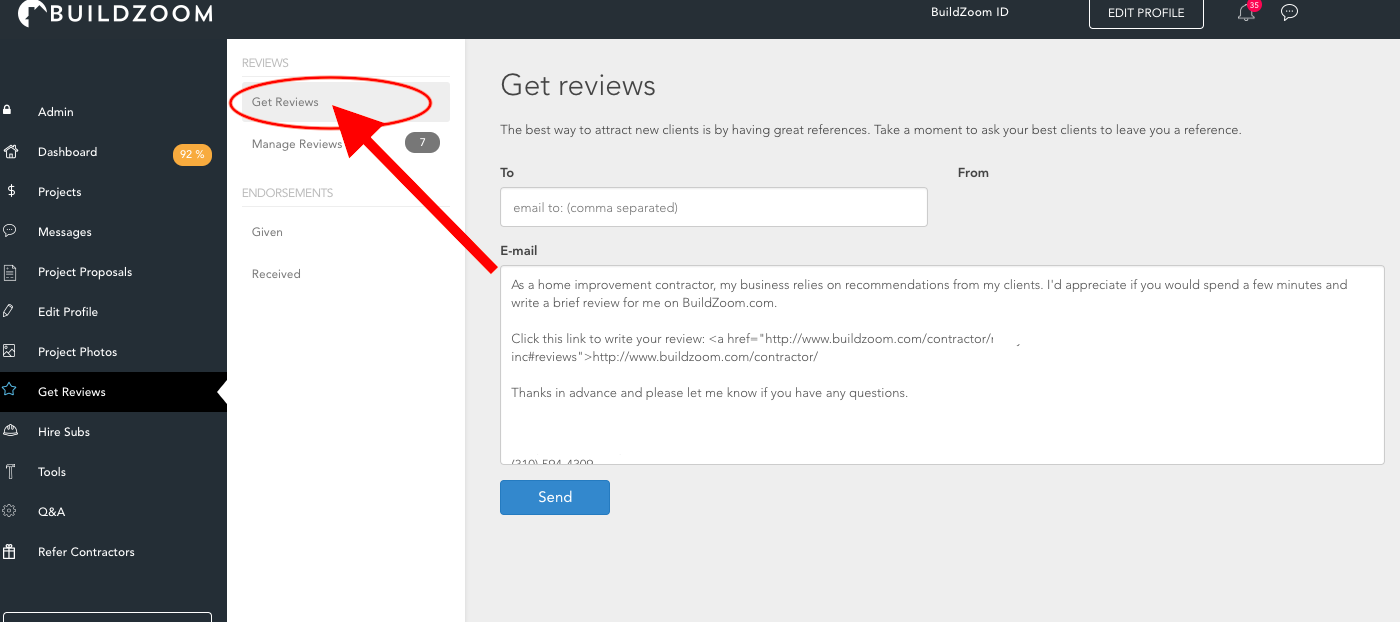
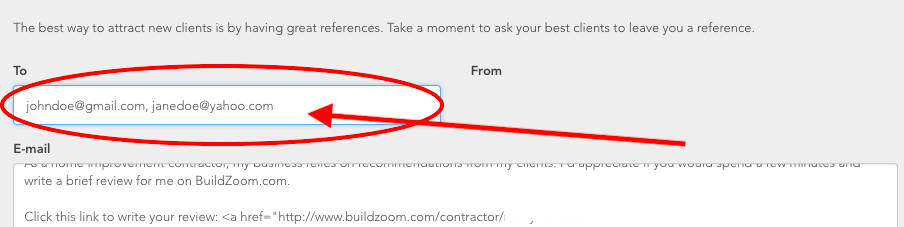
BuildZoom provides you with a simple template to send to clients, but you can tailor the message in a way that suits you. Make sure you keep the sentence that begins with <a href= in your message as this will direct the homeowner to your profile page, where they’ll leave your review. Enter the email addresses of your past clients separated by commas and click send. The recipients will each receive an email with a link to your BuildZoom profile.
Here is what the email looks like from the clients perspective. All they have to do is click on the link within the email.
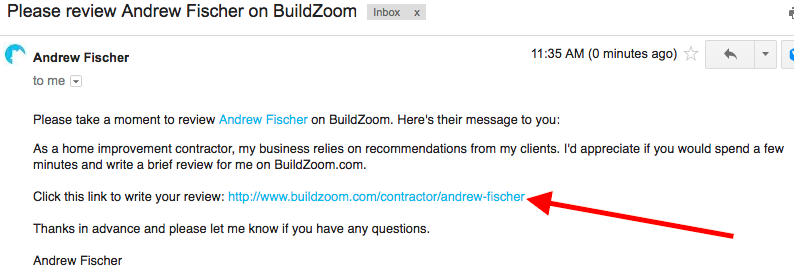
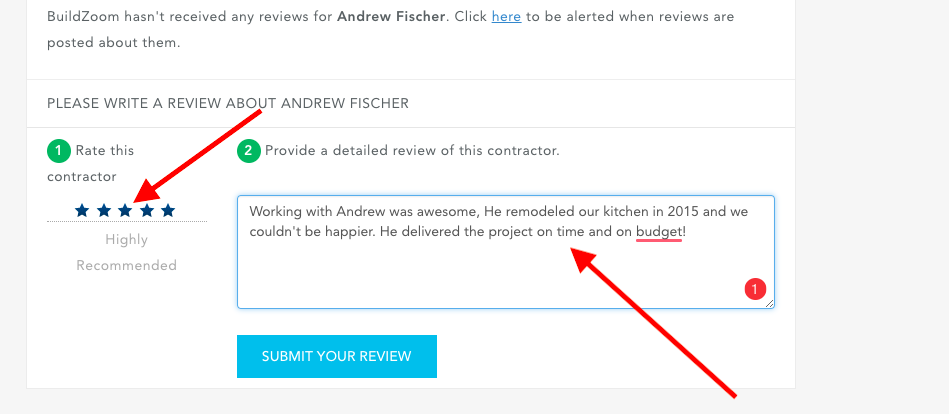
Once they arrive at your profile page, they can rate you with 1 – 5 stars and include details about their experience working with you.
It’s that easy! The whole process should take less than 15 minutes on your part, and you’ll hopefully see many more reviews being posted on your page.