This page is a part of a series on Everything You Need to Know to Become a Top Contractor on BuildZoom.
Once you’ve got a killer proposal, it’s easy to send it to the homeowner. Submit your bid on BuildZoom and watch your bid rate improve – which boosts your BuildZoom Score and helps you be the first to get better projects.
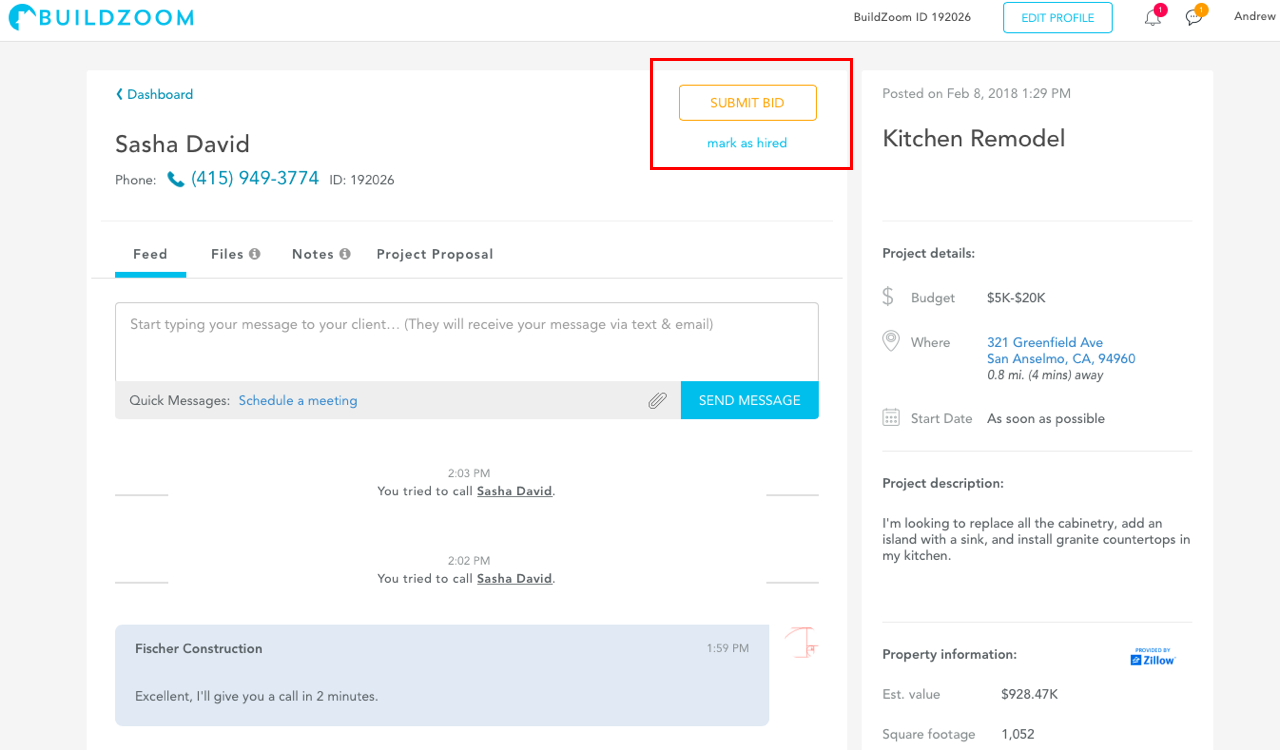
If you’re on the project page, select the “Submit Bid” button in the upper right corner. This is also available on mobile.
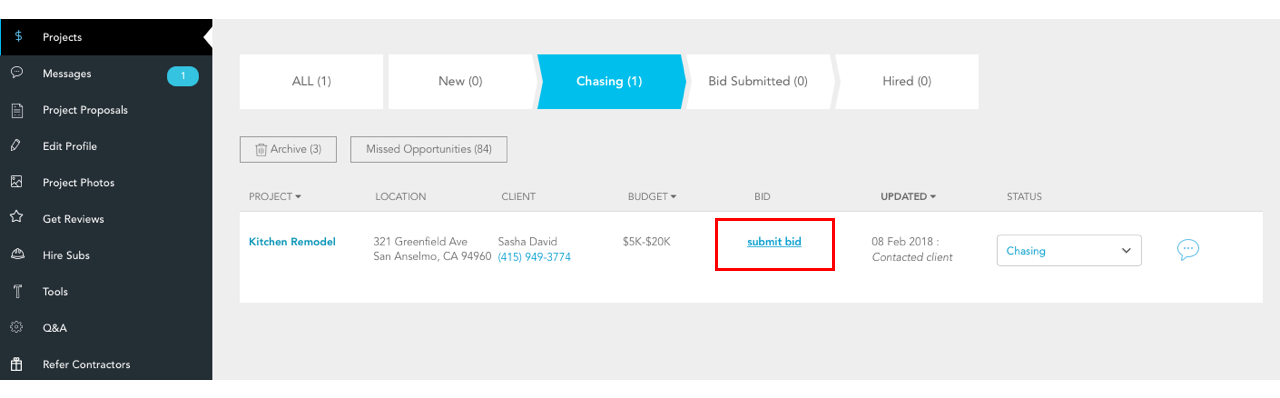
Alternatively, submit a bid through the Projects tab on the left-hand menu. All of your leads and projects are categorized to show which stage of the hiring process they are in. Find the project you’d like to send the proposal for in the “Chasing” category and click the “submit bid” link.
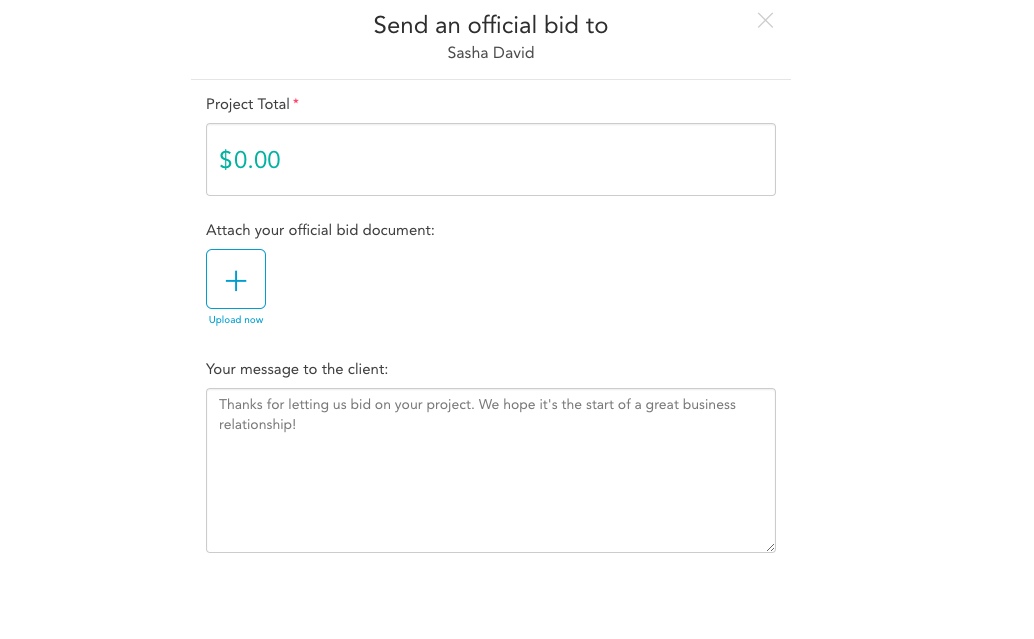
Then you can input the bid price, attach the proposal file, and send a message to the homeowner.
Tips for Sending Proposals
- The earlier the better – the contractors that bid earlier are more likely to win the job
- Add a custom message to let the homeowner know you’ve submitted your proposal and are looking forward to hearing their thoughts.
- Bid attachments can include PDF, Word, Excel, CSV and other formats. (Links to dropbox or buildertrend are not supported and must be turned into one of the above formats before attaching.)
- Follow up with the homeowner in the following days by setting up a time for a phone call or a face to face meeting to go over any questions they may have.
- Call out subcontractors or specialists in the bid, including sub rate or labor estimates
- Note that homeowners may not always understand the scope of work or why certain things cost as much as they do. Providing context behind your proposal will help them understand the nature of their project and will make them more likely to hire you.
Updating Bids
Sometimes it takes a few iterations for the homeowner to accept the proposal. Perhaps they would like to add something they forgot to mention in the walk-through, or maybe they need to pull out those expensive fixtures so they can remain within their budget. Not to worry, you can always adjust the total bid price and your proposal.
Once you’ve submitted a proposal in the project page, you should see an “edit bid” link below your bid price. Change the project total value, attach the new proposal, and send a message to the homeowner that you’ve made the changes discussed.
Tips for Updating Bids
- Leave notes for yourself to record any changes in the bid so you can refer to them later in the ‘notes’ tab
- Leave a message for the client to let them know which parts of the bid you’ve updated
- If you don’t hear back from the client, follow up with a friendly message to confirm they’ve received your updated proposal